Campaign Trail
The goal
To automate the translation of dense real estate marketing strategies into comprehensive, 12-month campaign calendars using AI within a strict bootstrapped budget.
The dynamic
A fast-paced, lean environment requiring ruthless scope prioritisation and daily, lockstep collaboration between engineering and domain-expert founders.
The value
I safeguarded the founders' runway by utilising "throwaway prototypes" to validate the core AI logic, successfully proving the business case before investing in expensive UI development.
The outcome
Cut campaign costs by 80% by automating the heavy lifting of strategy synthesis.
Halved manual processes to give agencies their time back from tedious formatting tasks.
Drove 10X richer engagement through highly targeted, LLM-generated campaigns.
Preserved founders' runway by proving the business case before investing in a complex UI layer.
Campaign Trail is an AI-driven marketing tech initiative that automates the creation of comprehensive marketing plans and content calendars. Operating within a lean, bootstrapped environment, the project aimed to solve a significant operational bottleneck: the highly manual, time-intensive process of translating high-level strategy documents into day-to-day campaign execution.
The challenge
The Campaign Trail story is one of ruthless prioritisation and technical pragmatism. The project began with a core assumption: AI could drastically reduce the time spent generating campaign content. Rather than attempting to generate overarching marketing strategies from scratch—which risked AI hallucinations and false assumptions—the project focused on synthesising existing, dense strategy documents (often 16 to 50+ pages) into actionable, 12-month content calendars. By confronting LLM latency friction early and refusing to burn runway on unnecessary UI, we proved the core technology's viability in a real-world agency setting.
The strategy
Throwaway prototypes over polished code
It is easy for early-stage startups to get bogged down in building a beautiful UI layer before proving the underlying technology actually works.
Lean validation: Instead of coding the full interface, I built high-fidelity throwaway prototypes. This allowed us to present a realistic—but entirely uncoded—interface to our domain experts, enabling immediate feedback without introducing engineering dependencies.
Designing ahead: While the team focused on building the skeleton logic for sign-in and project management, I dedicated my design bandwidth to "designing ahead"—prototyping potential user flows and interrogating assumptions to ensure our roadmap was sound before spending development dollars.
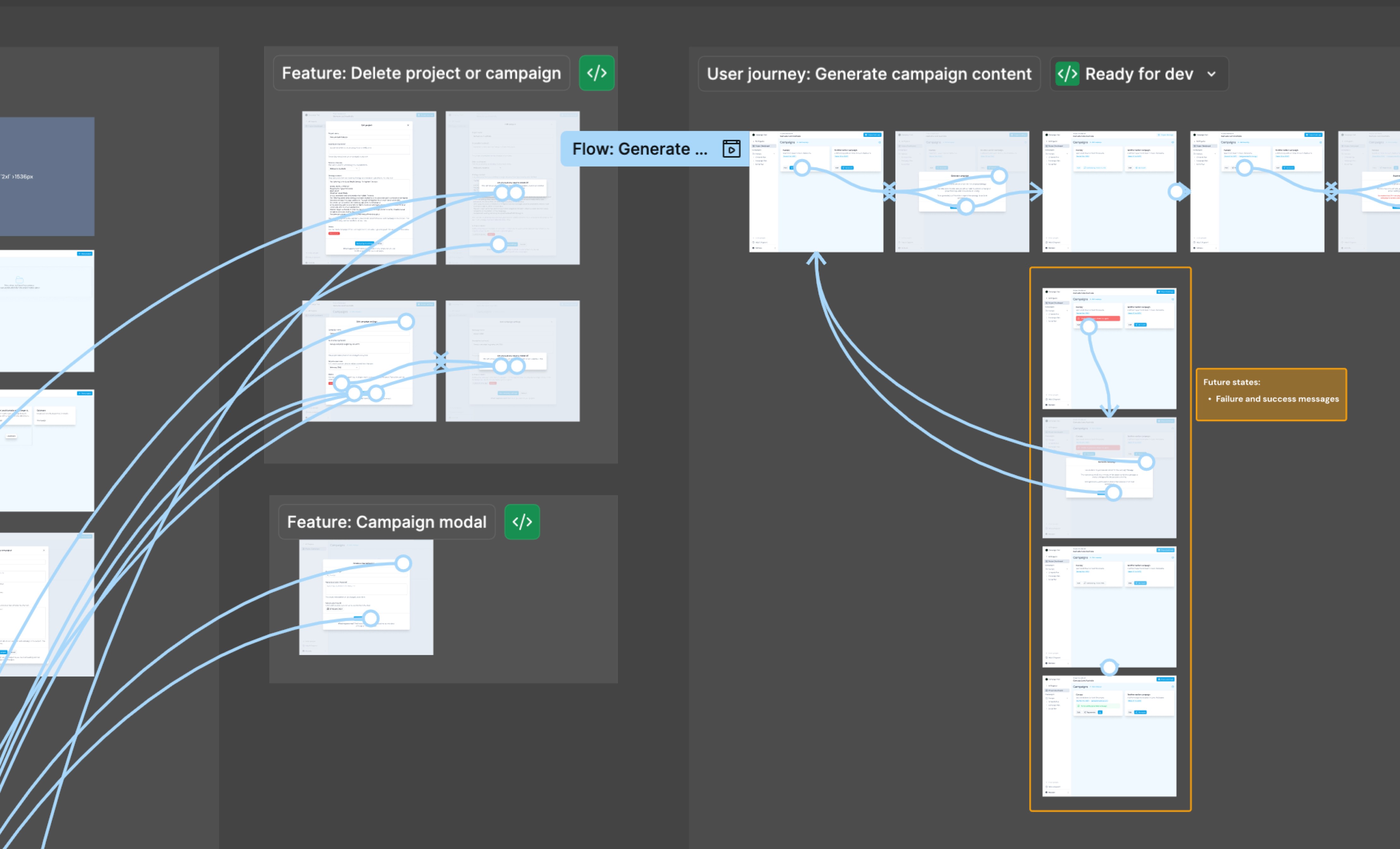
Throwaway prototypes: These uncoded visual mockups were a pivotal artefact I used to gather immediate feedback from domain experts. They successfully validated the system's architectural hierarchy and identified critical user needs, such as time zone configuration for cross-state developers.
The messy middle
Friction: LLM latency
We quickly discovered that feeding a large volume of data into an LLM and asking it to generate a comprehensive content calendar is computationally expensive. It takes a matter of minutes, not seconds. In standard SaaS, a multi-minute loading screen is a broken user flow. I had to rethink the interaction model to accommodate this latency, designing asynchronous flows and exploring batched processing so users could interact with early outputs while the LLM completed the rest in the background.
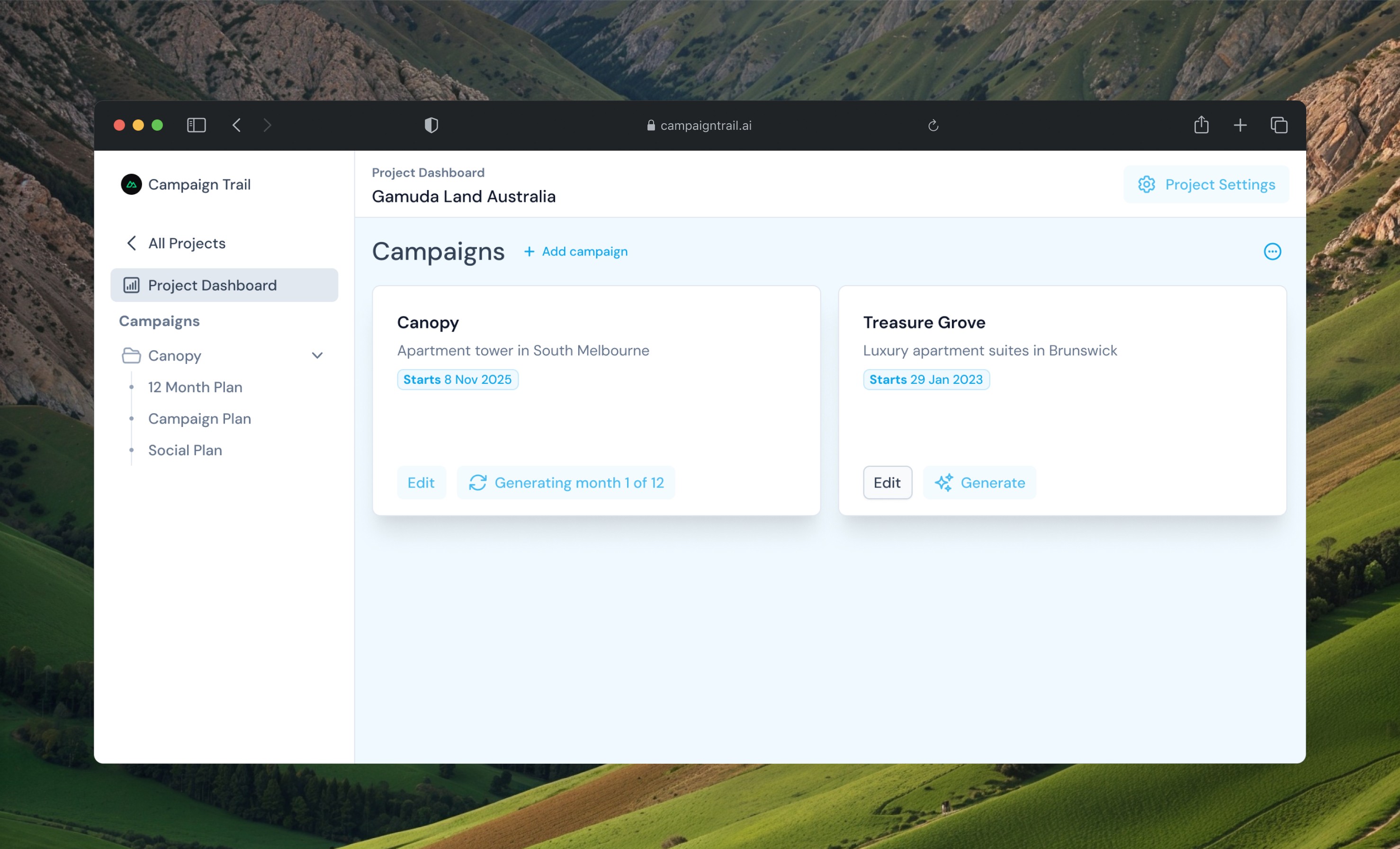
No time to waste: The wait for LLM outputs forced a strategic UX pivot toward asynchronous and batched processing, enabling the content calendar to be delivered in a staggered manner so users remained unblocked.
Friction: The UI vanity trap
In a bootstrapped environment, every pixel costs money. A major point of friction was deciding whether to build a compelling, functional UI dashboard to display the generated marketing content calendar or to strip the UI back entirely.
The pivot: We made the hard call to abandon the slick SaaS dashboard. Instead, we focused solely on the underlying LLM functionality and exported the content calendar directly to a rudimentary spreadsheet. This allowed us to validate the complex AI logic immediately, bypassing weeks of expensive UI development.
Friction: The visual asset dilemma
Real estate marketing is highly visual, but the current AI was unable to reliably generate specific, accurate property renders or location photography.
The pivot: Rather than forcing the AI to generate invalid images, we pivoted the prompt logic. We designed the LLM to output detailed image descriptions. This provided the human design team with an immediate, actionable brief to curate existing asset libraries, perfectly bridging the gap between AI text and human visual creation.
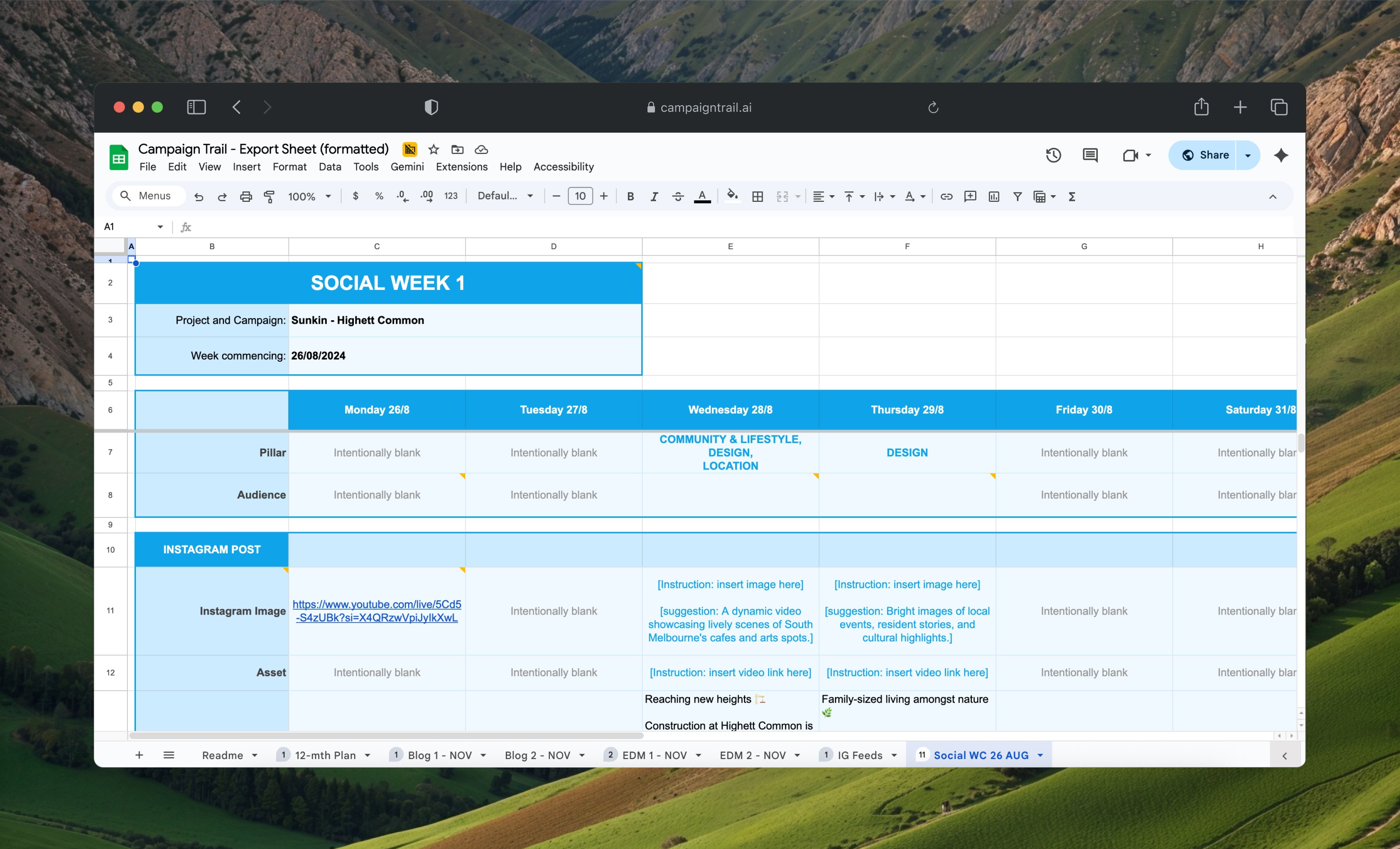
The Spreadsheet as UI: In lieu of a proprietary web dashboard, we opted to use a rudimentary spreadsheet as the MVP’s primary functional artefact. This effectively captured AI-generated social media posts, EDMs, and blog content, and seamlessly integrated into a marketing team's current workflows. This choice allowed us to cut project scope by 3+ sprints—a practical workaround that meant we didn’t need to reinvent the wheel in order to validate our core hypotheses.
Stakeholder management & collaboration
Collaborative discovery
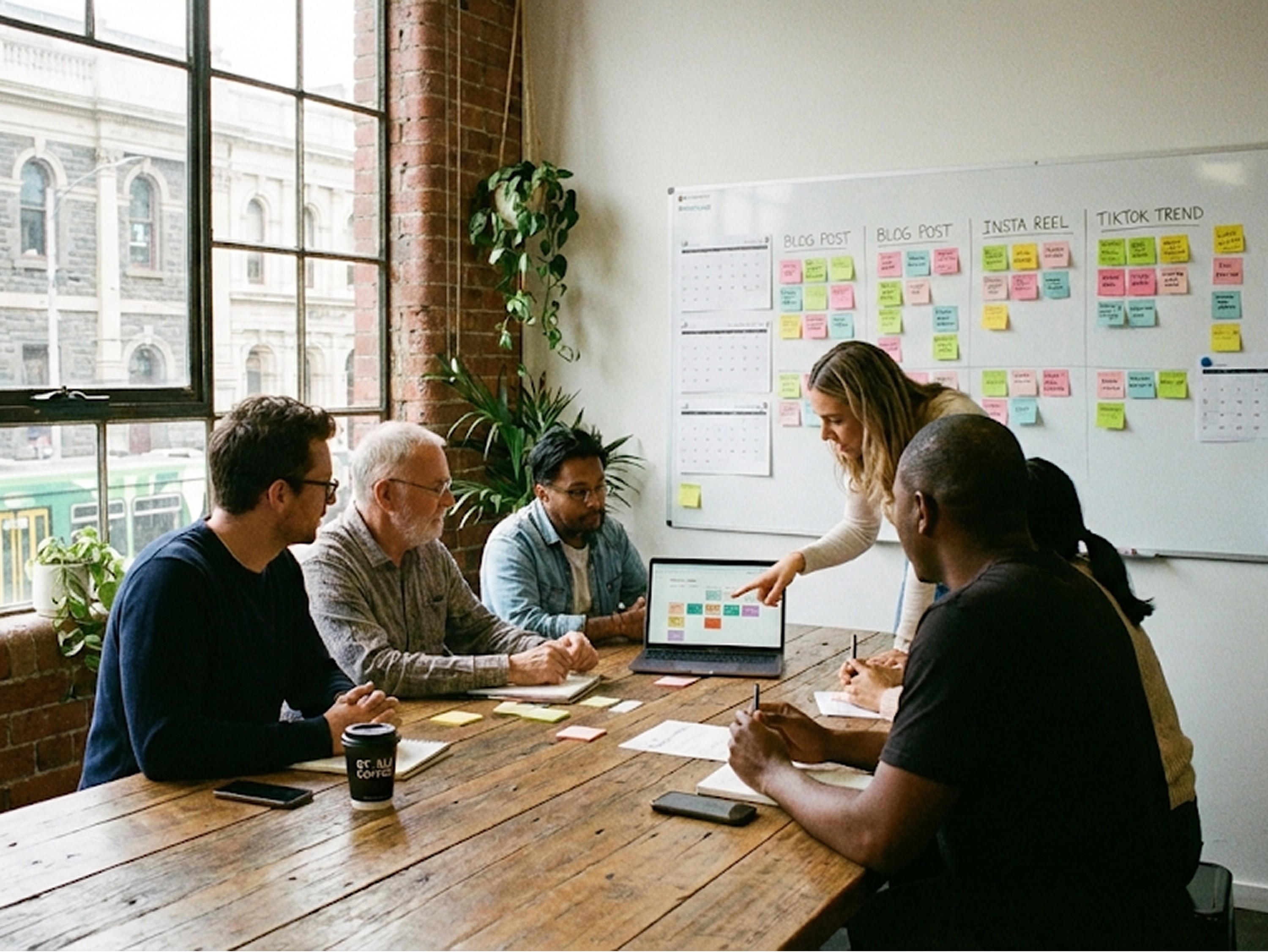
To ensure we didn't burn our lean budget on unviable features, discovery and product inception had to be fiercely collaborative. Working in lockstep with our Lead Engineer, I co-facilitated foundational workshops to map out the system's architecture and asynchronous user flows before a single line of code was written. The artefacts generated from these sessions—ranging from high-level logic maps to lean UX prioritisation canvases—served as our primary tools for cross-functional alignment.
Focus on action and impact
In a lean, bootstrapped environment, tight alignment is everything. We instituted daily standups to maintain tight alignment across engineering, product ownership, and design.
The engineering partnership: I split the design process into parallel tracks: validating user flows via throwaway prototypes with domain-expert stakeholders, designing the skeleton web app for data ingestion, and formatting the LLM's spreadsheet output to ensure it met agency review standards. Because I was juggling multiple discovery priorities in addition to delivering UI components for dev handoff, the Lead Engineer and I worked in lockstep. This ensured my design outputs accurately matched his technical requirements for the LLM API, and meant that I never bottlenecked delivery.
Protecting the founders' runway: Working directly with the founders, my role was often to act as a pragmatic guardrail. Because it was their own capital on the line, I pushed for ruthless prioritisation—ensuring we proved the core marketing use-case via the spreadsheet output before burning any budget on building a proprietary calendar UI layer.
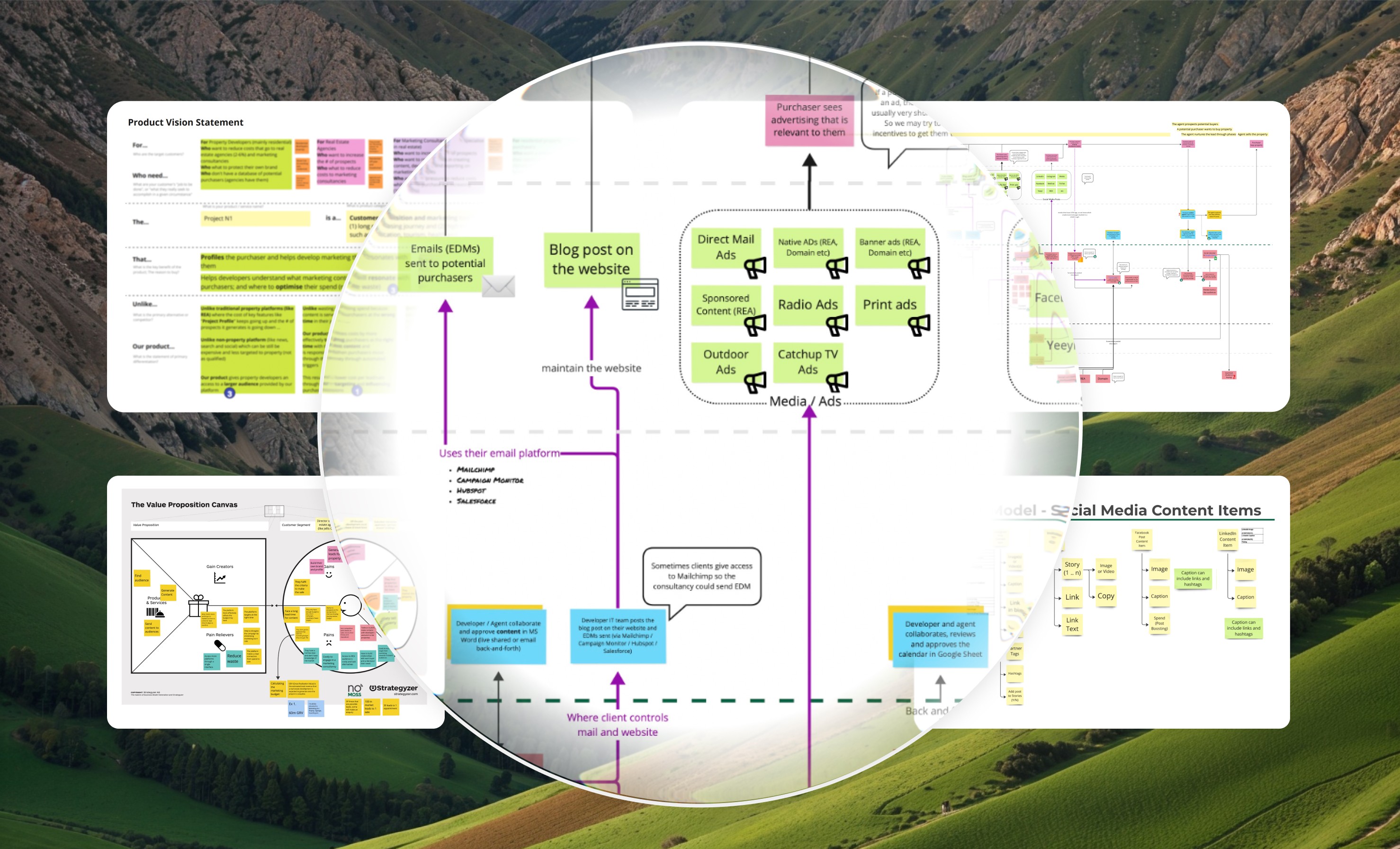
Workshop artefacts: Designed to interrogate assumptions and visualise invisible frictions (such as AI latency and data ingestion), the team collaborated on strategic visual artefacts to define workflow complexity. With these in hand, we were able to rapidly negotiate scope directly with the founders, making pragmatic, cost-saving decisions (such as pivoting to our highly functional spreadsheet output).
The outcome
We successfully shipped a functional MVP that proved the core business hypothesis without burning the founders' runway on unproven UI.
The final delivery directly drove our core value propositions:
Tangible business impact: The platform enabled an 80% reduction in campaign management costs and a 50% reduction in manual marketing processes, giving agencies significant time back to focus on growing their business rather than formatting calendars.
10X richer customer engagement: By using the AI to target customers actually in the market for specific products/services, the quality of the campaign output improved exponentially.
A coded skeleton web app: Featuring secure sign-in, project management, and the crucial data-ingestion flow for uploading brand/comms context.
A client-ready content calendar: An LLM-generated spreadsheet that synthesised massive strategy documents into actionable social posts, EDMs, and specific image briefs.
A suite of "designed-ahead" prototypes: Mapping out the future UI layers and batched-processing flows, giving the founders a clear, validated roadmap for their next phase of growth.
When I think about it…
The UI is not always the product
The greatest lesson from Campaign Trail was the power of the throwaway prototype and the willingness to discard UI vanity in favour of technical truth. In a bootstrapped startup, every line of code is expensive. By choosing not to design a slick web interface for the calendar and instead leaning into a functional spreadsheet output, we solved the user's problem faster and more cheaply—driving a 50% reduction in manual effort.
The experience must be seamless
This project reinforced the point that, in the age of AI, you still have to design around the technology's constraints. Whether it's designing for latency (minutes instead of seconds) or designing pragmatic workarounds (generating image briefs instead of actual images), the designer's job is to orchestrate the human-AI loop so it feels seamless, even when the underlying technology is messy.
Newer
Older